Case study · Social media
How to Create Aesthetic Pinterest Photos With AI: 4 Styles From One Photo
The goal isn't just a different color filter. It's to change the mood, styling, lighting, and atmosphere while keeping the person recognizable.
Published: October 26, 2026
By ImagePromptBox Team
8 min read
Pinterest is full of portraits that feel carefully styled without looking overly edited. Some have the timeless appeal of black-and-white fashion photography, while others use soft creamy tones, autumn colors, or a dreamy cottage garden setting.
I wanted to explore how much a single portrait could change through AI image editing without starting from scratch.
For this case study, I used one original photo as the reference image and created four different Pinterest-inspired looks. Each prompt focuses on a distinct aesthetic, from monochrome chic to cottagecore, while asking the model to preserve the person's facial features and identity.
The goal isn't just to apply a different color filter. It's to change the overall mood, styling, lighting, and visual atmosphere while keeping the person recognizable.
The Original Photo
I started with one portrait and used it as the reference for all four edits. Keeping the same source image gives each version a shared starting point, making the differences in styling and atmosphere easier to explore.
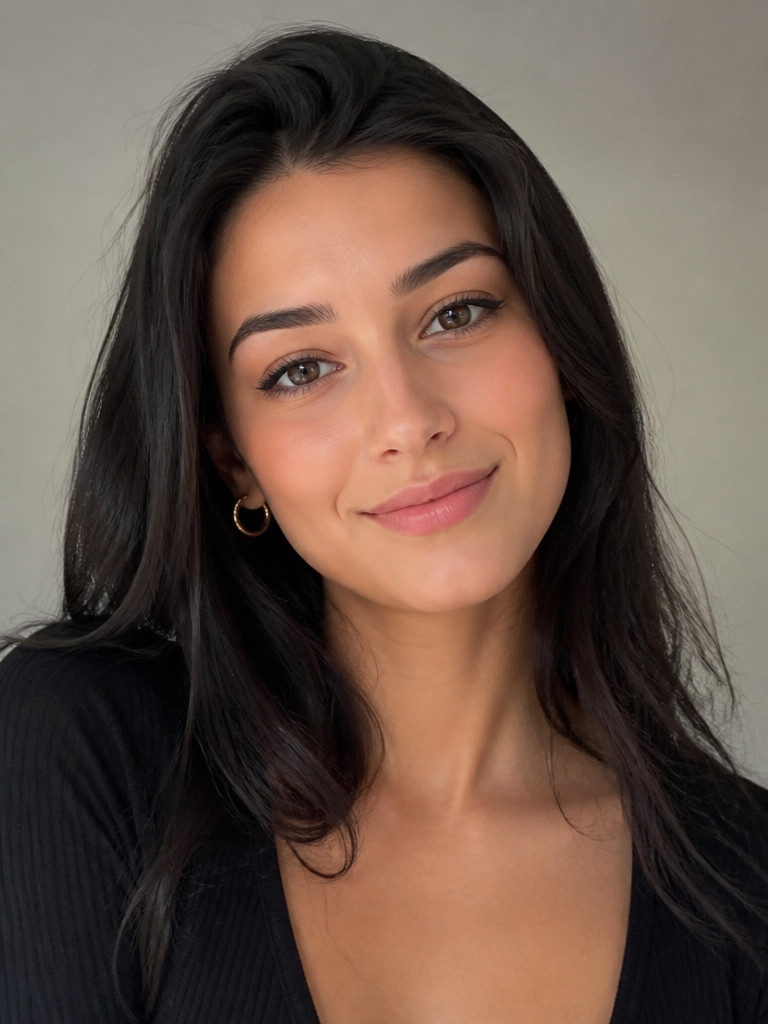
The original photo acts as the visual anchor for every variation. Instead of describing a completely new person, each prompt tells the model how to restyle the existing image.
I used a 3:4 portrait format for all four concepts, which works well for vertical Pinterest imagery.
1. Monochrome Black and White Chic
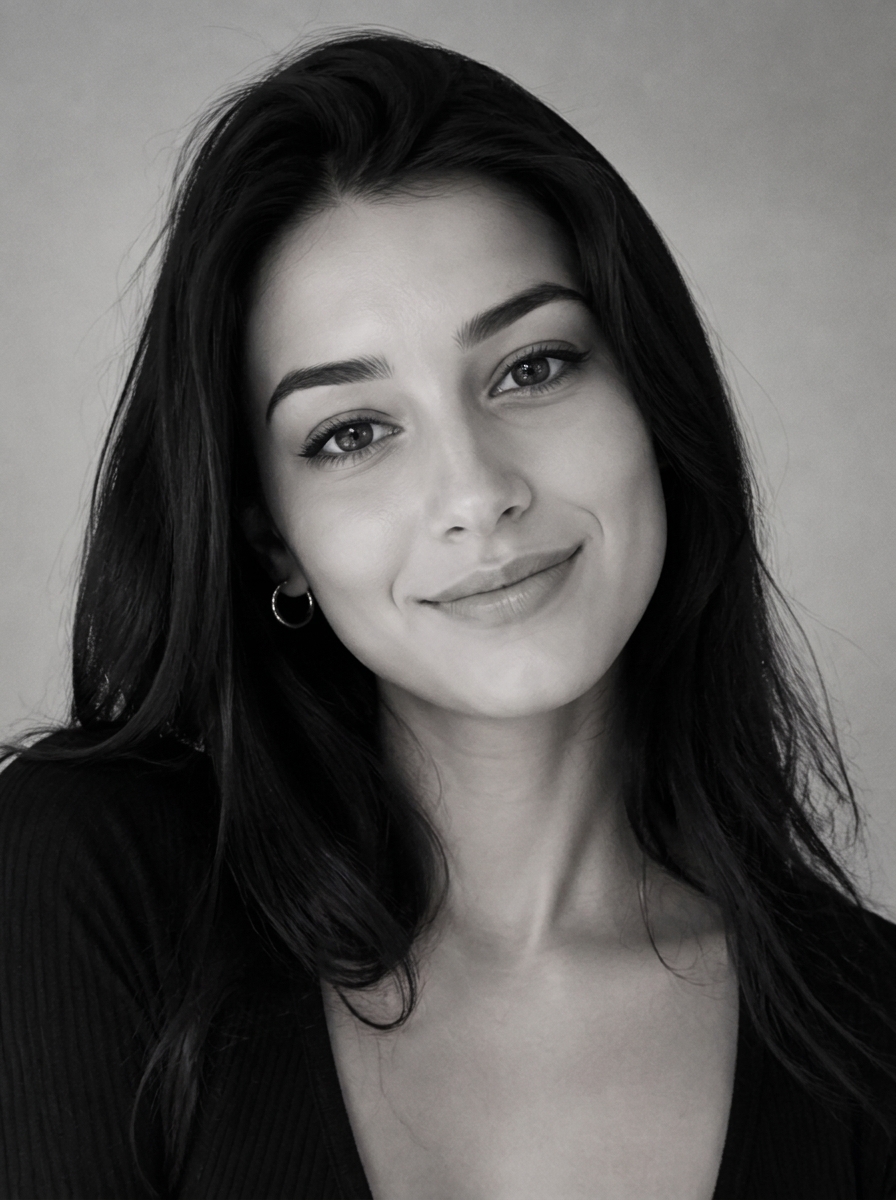
The first direction is a classic black-and-white fashion portrait. Without color, the image relies more heavily on contrast, facial structure, composition, and the relationship between light and shadow.
I wanted a refined, editorial look rather than a simple grayscale filter. The words rich black and white tones, refined contrast, and timeless styling help establish that direction.
Prompt
Based on the uploaded reference image, carefully preserve the person's facial features, face shape, and identity details, edit the image into a monochrome Pinterest portrait with rich black and white tones, refined contrast, timeless styling, elegant composition, complete centered subject, fashion-forward mood --ar 3:4Why This Prompt Works
- Monochrome Pinterest portrait establishes the overall visual direction instead of asking for grayscale alone.
- Rich black and white tones encourages a more deliberate tonal range, with deeper blacks and brighter highlights.
- Refined contrast helps give the portrait a polished editorial feel without explicitly demanding harsh shadows.
- Timeless styling steers the image toward a classic fashion aesthetic rather than a trend-heavy treatment.
- Complete centered subject reinforces the intended framing and helps communicate that the person should remain fully visible.
One useful distinction here is that black-and-white photography still needs visual hierarchy. If the entire image has similar gray values, it can feel flat. Contrast gives the face, clothing, and background more separation.
2. Milk Bath Soft Focus
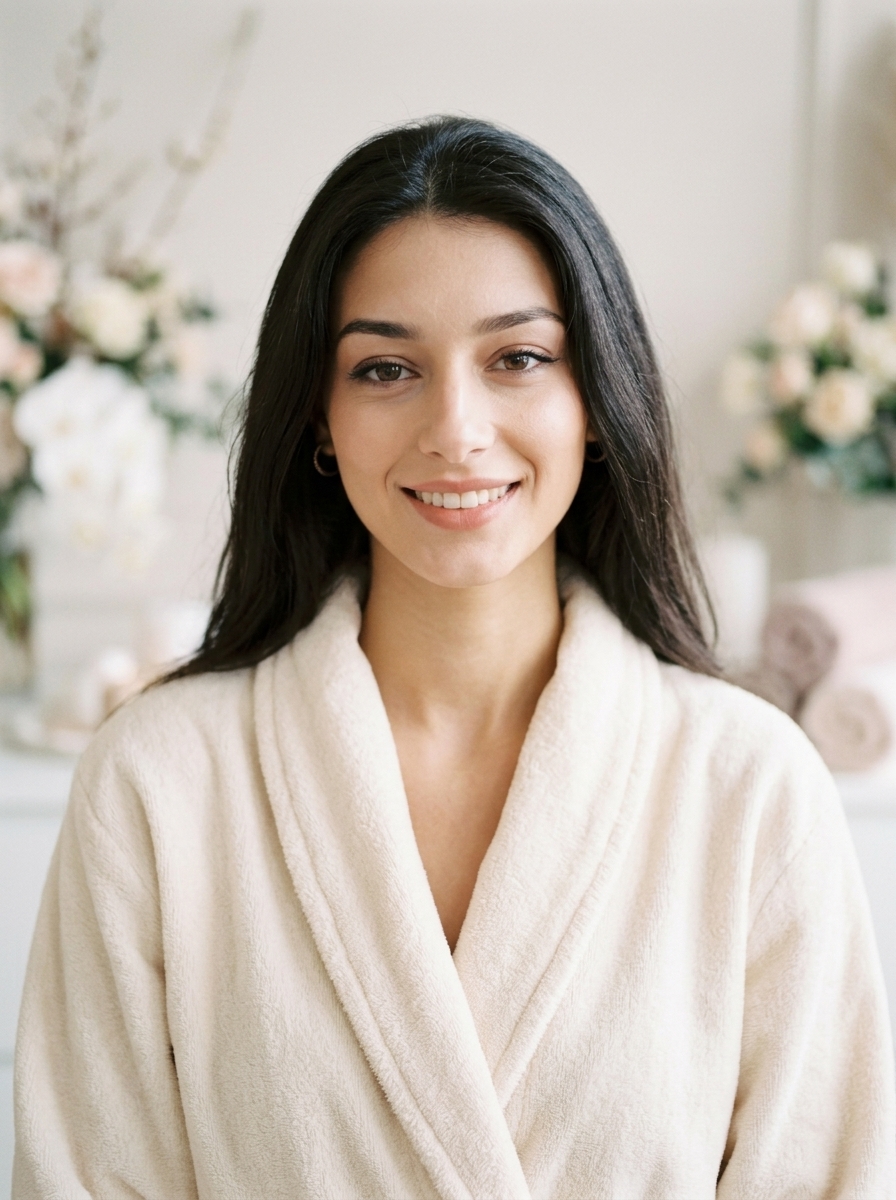
For the second concept, I moved in the opposite direction. Instead of strong contrast, this style uses creamy colors, delicate highlights, and a softer beauty-editorial atmosphere.
The milk bath aesthetic is associated with spa imagery, floral details, and a calm, dreamy mood. I used these visual cues to guide the transformation without specifying an entirely new scene or a rigid set of props.
Prompt
Based on the uploaded reference image, carefully preserve the person's facial features, face shape, and identity details, transform the portrait into a soft-focus Pinterest spa aesthetic with creamy tones, delicate highlights, floral accents, serene beauty styling, dreamy elegance, complete centered subject --ar 3:4Why This Prompt Works
- Soft-focus Pinterest spa aesthetic defines both the image treatment and its intended mood.
- Creamy tones encourages a warmer, softer palette than pure white or cool gray.
- Delicate highlights suggests gentle illumination rather than sharp, high-contrast lighting.
- Floral accents introduces a decorative element associated with beauty and spa photography.
- Serene beauty styling keeps the direction calm and elegant instead of dramatic or fashion-forward.
I find it useful to think of this aesthetic as a combination of palette, light, and atmosphere. Asking for a dreamy look alone is vague. Adding creamy tones, delicate highlights, and floral details gives the model more concrete visual information to work with.
Because this prompt doesn't specify an exact bath setup, it leaves the model room to interpret the spa aesthetic. If a literal milk bath is essential, the prompt would need to describe the milky water, flower placement, and the subject's position more explicitly.
3. Muted Autumn Leaves
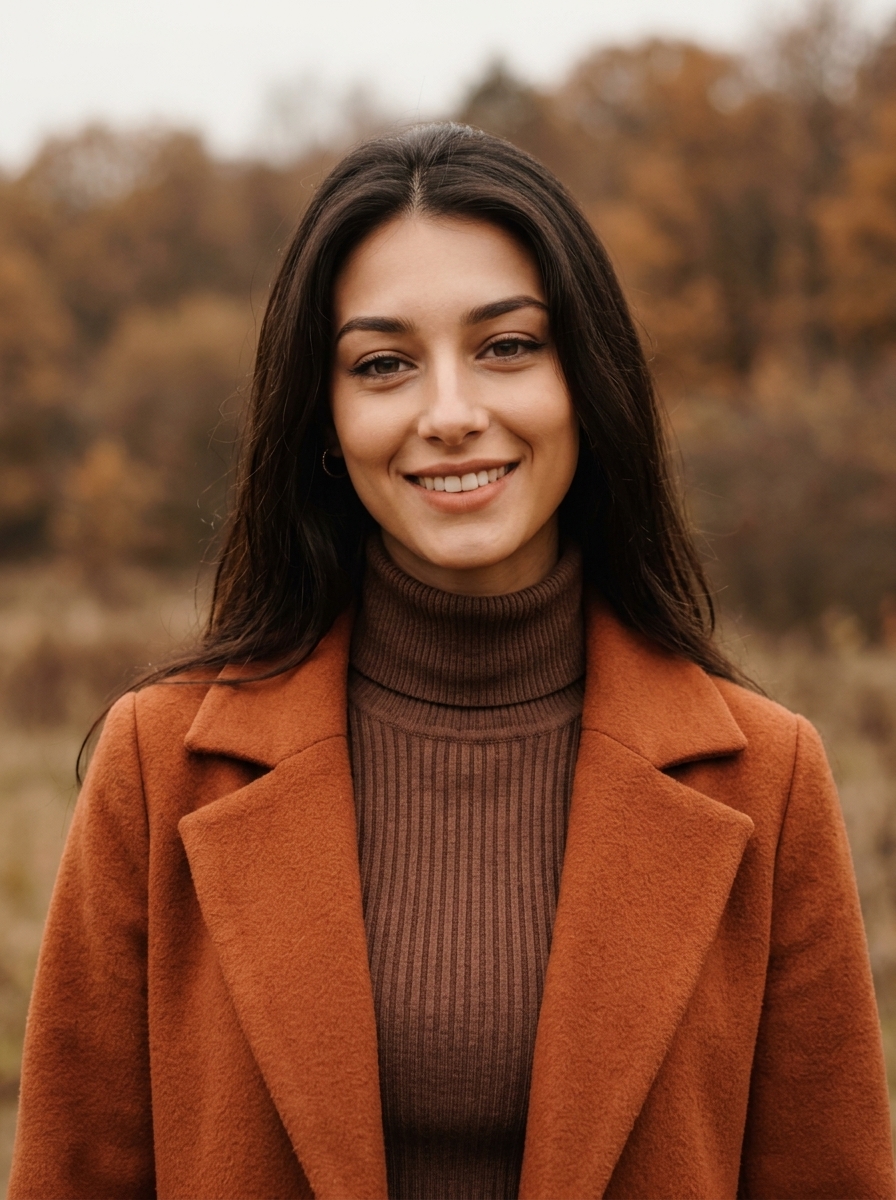
The third direction introduces seasonal color. Brown and rust tones create a warmer, earthier mood, while soft overcast light helps avoid the bright, saturated appearance often associated with traditional autumn photography.
I wanted this version to feel like a quiet autumn portrait saved to a Pinterest inspiration board: understated, cozy, and slightly cinematic.
Prompt
Based on the uploaded reference image, carefully preserve the person's facial features, face shape, and identity details, restyle the portrait into a muted autumn Pinterest aesthetic with brown and rust tones, soft overcast light, cozy layers, subtle cinematic grading, complete centered subject --ar 3:4Why This Prompt Works
- Muted autumn Pinterest aesthetic establishes a seasonal direction without relying on a single color.
- Brown and rust tones gives the model a more specific palette to follow.
- Soft overcast light suggests diffuse illumination and a gentler range of shadows.
- Cozy layers communicates a clothing direction that fits the seasonal mood.
- Subtle cinematic grading encourages a cohesive color treatment without asking for an excessively dramatic effect.
The important detail is the word muted. Autumn colors can easily become bright orange, yellow, and red. Pairing muted colors with overcast lighting creates a more restrained direction.
There is also a small difference between describing a color palette and describing a scene. This prompt establishes the autumn atmosphere, but it doesn't explicitly require visible autumn leaves in the background. If foliage is a key part of the composition, adding a phrase such as “softly blurred autumn leaves in the background” would make that requirement clearer.
4. Cottagecore Garden Portrait
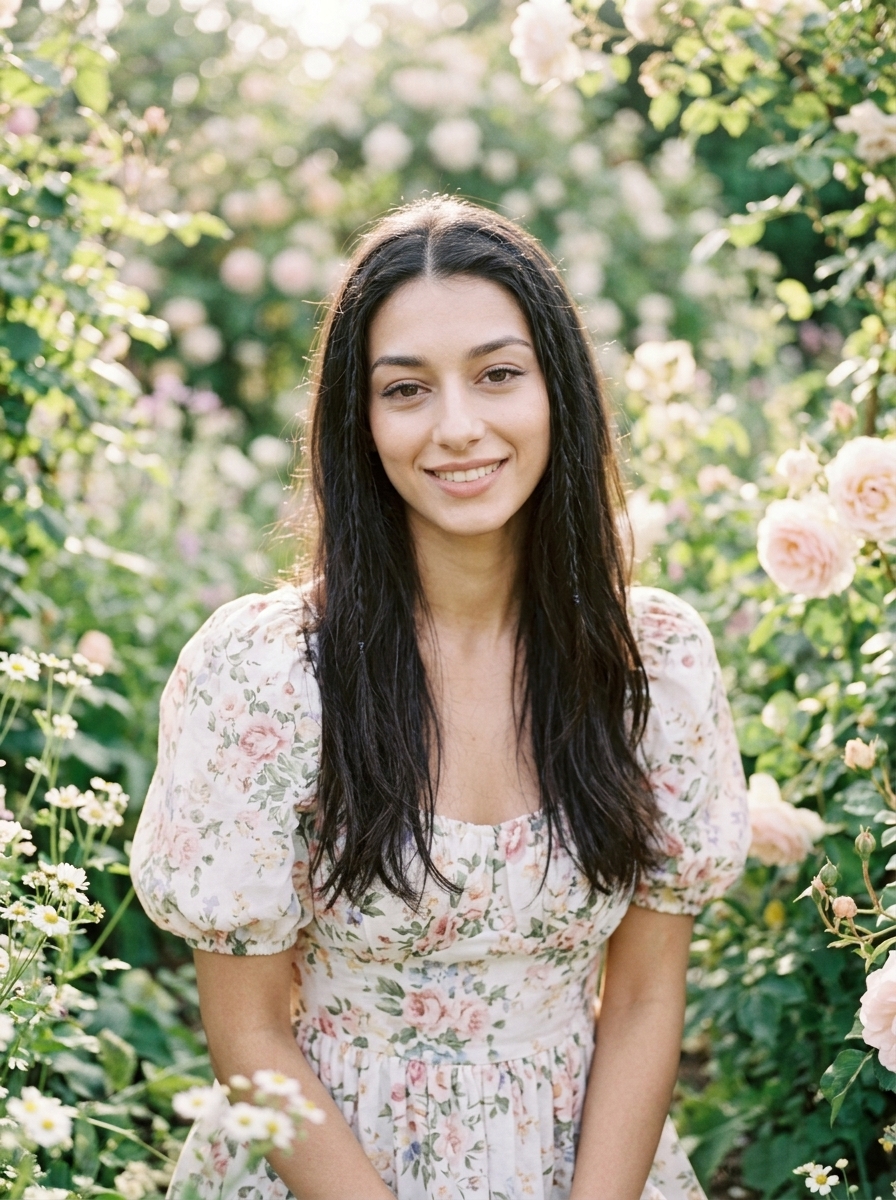
For the final direction, I went with cottagecore: a softer, more romantic aesthetic inspired by gardens, floral clothing, natural light, and pastel greenery.
Compared with the autumn version, this prompt shifts the emphasis from seasonal earth tones to a fresh garden atmosphere. The intended mood is gentle and natural rather than polished and editorial.
Prompt
Based on the uploaded reference image, carefully preserve the person's facial features, face shape, and identity details, transform the photo into a cottagecore Pinterest portrait with blooming garden scenery, soft floral dress styling, natural glow, pastel greenery, gentle sunlight, complete centered subject --ar 3:4Why This Prompt Works
- Cottagecore Pinterest portrait establishes a recognizable visual theme.
- Blooming garden scenery gives the model a clear environmental direction.
- Soft floral dress styling connects the subject's clothing to the surrounding setting.
- Natural glow encourages a luminous, gentle appearance rather than a hard studio finish.
- Pastel greenery helps keep the garden colors soft instead of overly saturated.
- Gentle sunlight supports the romantic outdoor mood.
The combination matters more than any individual keyword. Floral clothing, garden scenery, and soft sunlight all reinforce the same idea. If the prompt asked for a cottagecore aesthetic but paired it with harsh flash lighting and a dark urban background, the visual direction would become less coherent.
One thing to keep in mind is that changing clothing and scenery can be more demanding than changing color grading alone. If preserving the original outfit is important, remove the dress-styling instruction. If the new setting is the priority, keep the garden description and allow the clothing to change.
Comparing the Four Pinterest Aesthetics
All four prompts start with the same reference image, but each emphasizes a different combination of visual elements.
| Style | Main palette | Lighting direction | Overall mood |
|---|---|---|---|
| Monochrome Black and White Chic | Black, white, grayscale | Defined tonal contrast | Timeless and editorial |
| Milk Bath Soft Focus | Cream and warm neutrals | Delicate, soft highlights | Dreamy and serene |
| Muted Autumn Leaves | Brown and rust | Soft overcast light | Cozy and cinematic |
| Cottagecore Garden Portrait | Pastel greens and floral tones | Gentle sunlight | Romantic and natural |
The main lesson is that an aesthetic is not just a label. Each style becomes easier to communicate when the prompt describes the palette, lighting, styling, and atmosphere that make it recognizable.
What I Learned From This Prompt Set
These four concepts also highlight a useful distinction in AI photo editing: some changes are relatively subtle, while others require the model to reinterpret substantial parts of the image.
A monochrome treatment mainly changes tonal relationships and visual mood. A soft-focus beauty treatment shifts the palette and lighting. Autumn styling may change the clothing and color grading, while a cottagecore transformation can introduce an entirely different environment.
That distinction matters when writing prompts. If the goal is to preserve the original photograph as closely as possible, focus on color grading, lighting, and atmosphere first. If the goal is a more dramatic Pinterest transformation, describe the new clothing or environment explicitly.
I also kept the identity-preservation instruction consistent across all four prompts. It establishes a shared constraint, although it cannot guarantee that every generated result will reproduce the person's face perfectly. The extent of identity preservation depends on the image model and its editing behavior.
Finally, I used the same aspect-ratio instruction throughout. A consistent portrait format makes the concepts easier to compare and keeps the series visually aligned.
Final Thoughts
Creating Pinterest-style photos with AI doesn't require four unrelated prompts or four separate source images. Starting with one reference photo makes it possible to explore several visual directions while keeping the subject and basic composition connected.
The most useful approach is to break an aesthetic into a few concrete decisions:
- Color palette: monochrome, creamy neutrals, autumn browns, or pastel greens.
- Lighting: defined contrast, delicate highlights, overcast light, or gentle sunlight.
- Styling: timeless fashion, serene beauty, cozy seasonal layers, or floral clothing.
- Atmosphere: editorial, dreamy, cinematic, or romantic.
Once these elements are clear, the prompt becomes more than a collection of fashionable keywords. It becomes a practical description of the image you want to create.
You can use the same approach with your own photos: start with a reference image, choose one aesthetic direction, and change only the visual elements needed to express that style. Then refine the prompt according to what you want to preserve and what you want the model to transform.
Frequently Asked Questions
Do the four edits keep the same face?
The identity instruction is word-for-word the same in all four prompts, so any difference in how closely the face held came from the rest of the prompt rather than from that clause. Compare specific features — eye shape, nose, hairline — instead of judging overall resemblance, because a restyle can still look like the same person while shifting the details you would recognise in a photo.
Can I use these prompts on a different photo?
Yes, but the palette and lighting clauses assume a portrait that starts fairly neutral. A source photo with a strong existing color cast or hard shadows will push against the new direction, so the result may need the prompt adjusted rather than reused as written. This set was only run on one reference photo.
Can I combine two of these aesthetics?
They tend to cancel each other out. Cream tones and soft focus pull against defined black-and-white contrast, and the article's own example — cottagecore styling with harsh flash and an urban background — shows how quickly a mixed direction stops reading as a single style. Pick the direction first, then borrow individual details that support it.
What does the `--ar 3:4` at the end of each prompt do?
It is a parameter rather than part of the description: it tells a tool that parses it to return a 3:4 portrait, which suits vertical Pinterest images. If your tool sets aspect ratio in the interface instead, drop the suffix and choose 3:4 there — leaving it in the text just adds a stray instruction.