Prompt basics · Prompt length
How Long Should an AI Image Prompt Be?
A longer prompt isn't automatically a better one. The useful question isn't the word count — it's whether you've described the details that actually matter.
Published: October 22, 2026
By ImagePromptBox Team
9 min read
A longer AI image prompt isn't automatically a better one.
You can describe a subject in five words and get a usable image. You can also write a 100-word prompt that gives the model so many competing instructions that the result misses the point.
The useful question isn't how many words your prompt contains. It's whether you've described the details that matter.
For most images, I would start with the subject, add the composition and lighting, and then include the style or details that are important to the result. Anything beyond that needs a reason to be there.
Let's look at what happens as a prompt gets longer.
Start With a Short Prompt
Imagine you want to generate a portrait of a golden retriever in an autumn forest.
Start with this:
A golden retriever in an autumn forest.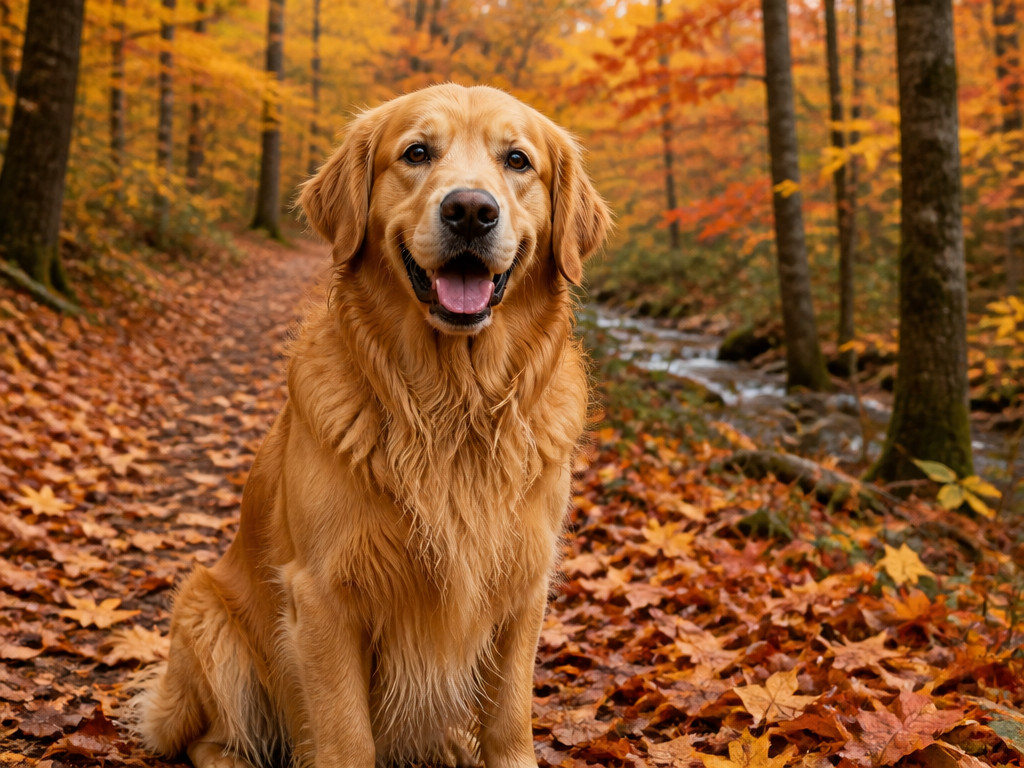
This prompt establishes two things: the subject and the setting.
That's enough to give an image model a clear starting point, but almost everything else is open to interpretation.
The dog might be sitting or running. The forest could look bright and cheerful or dark and moody. The image might resemble a photograph, an illustration, or a stylized painting.
If you don't have a particular result in mind, that freedom can be useful.
But if you have a specific image in mind, you'll probably need to say more.
Add the Details That Change the Image
Let's expand the prompt without trying to describe every possible detail.
A fluffy golden retriever sitting on a forest path covered with fallen maple leaves, warm autumn sunlight filtering through orange and crimson trees, soft background bokeh, photorealistic.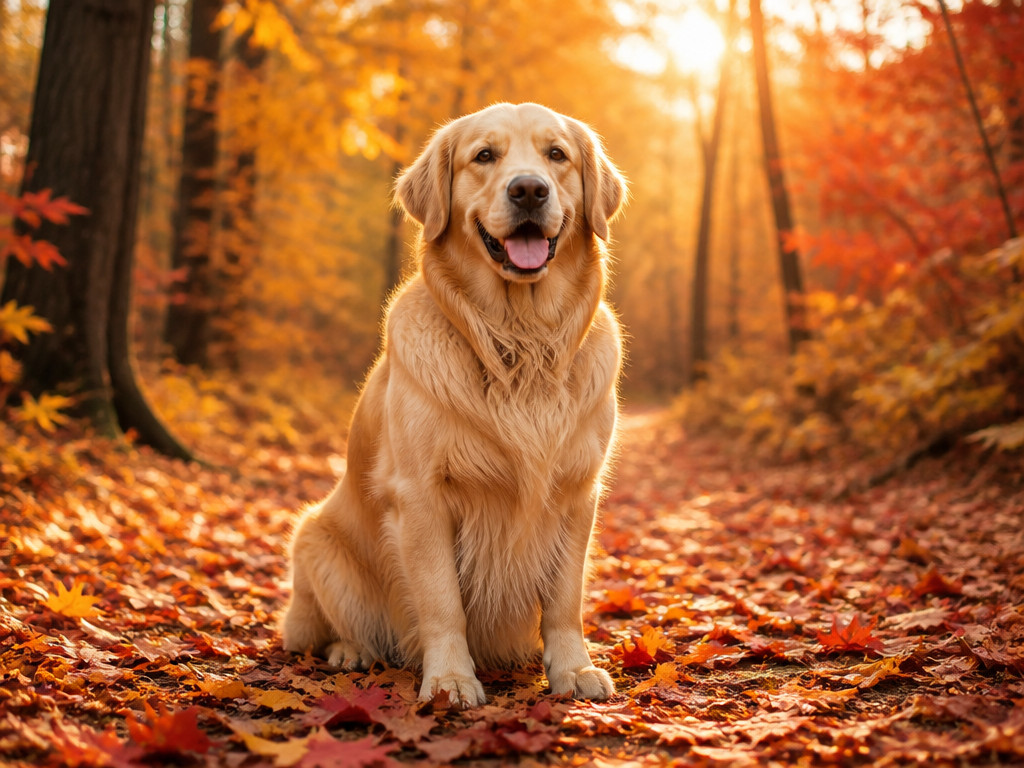
The second prompt adds several useful instructions:
- Subject details: a fluffy golden retriever
- Environment: a forest path covered with maple leaves
- Lighting and color: warm autumn sunlight, orange and crimson trees
- Background treatment: soft bokeh
- Visual style: photorealistic
Each addition has a job.
The environment gives the dog a more specific setting. The lighting and colors establish a visual mood. The bokeh suggests a softer background, while photorealistic indicates the intended style.
This is the kind of expansion that makes a prompt more informative rather than merely longer.
When a Longer Prompt Helps
Some images need more instructions than others.
A simple object on a plain background may need very little description. A product advertisement with a specific camera angle, carefully controlled reflections, and empty space for a headline needs more.
Consider this product photography prompt:
A premium skincare serum bottle standing on a pale stone pedestal, minimalist luxury product photography, soft light from the upper left, subtle reflections on the glass, warm beige background, delicate shadows, bottle positioned on the right third of the frame, generous negative space on the left for advertising text, clean composition, realistic materials.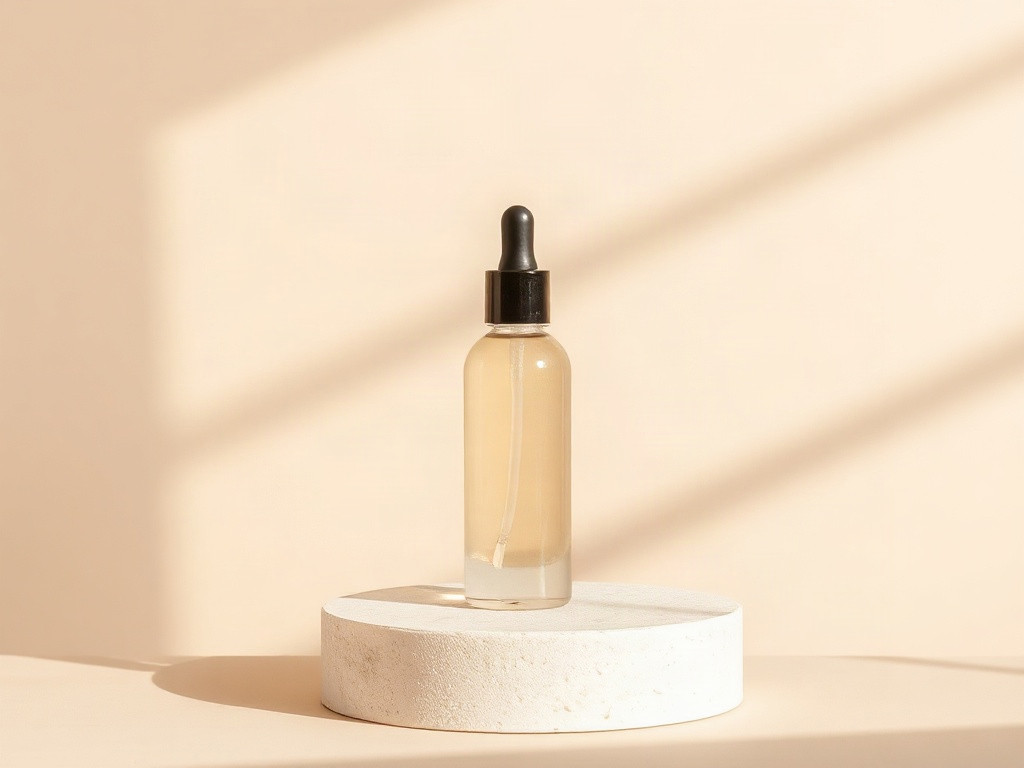
This prompt is longer because the image has more constraints to satisfy.
The bottle needs to look like the main subject. The lighting should reveal the glass. The background should support the luxury aesthetic without competing for attention. The layout should leave room for text.
Removing several of those details could change the result in ways that matter to the design.
Notice, though, that the prompt doesn't describe every tiny object, every possible camera setting, or every detail of the stone pedestal. It focuses on the requirements that define the image.
A prompt should be as detailed as the task requires, not as detailed as possible.
When a Longer Prompt Stops Helping
Now imagine expanding the golden retriever prompt with a long list of loosely related instructions:
A fluffy golden retriever sitting on a forest path covered with fallen maple leaves, warm autumn sunlight, orange and crimson trees, soft background bokeh, photorealistic, cinematic, dramatic, dreamy, magical, highly detailed, ultra-realistic, vibrant, atmospheric, beautiful composition, award-winning photography, perfect lighting, stunning colors, incredible detail.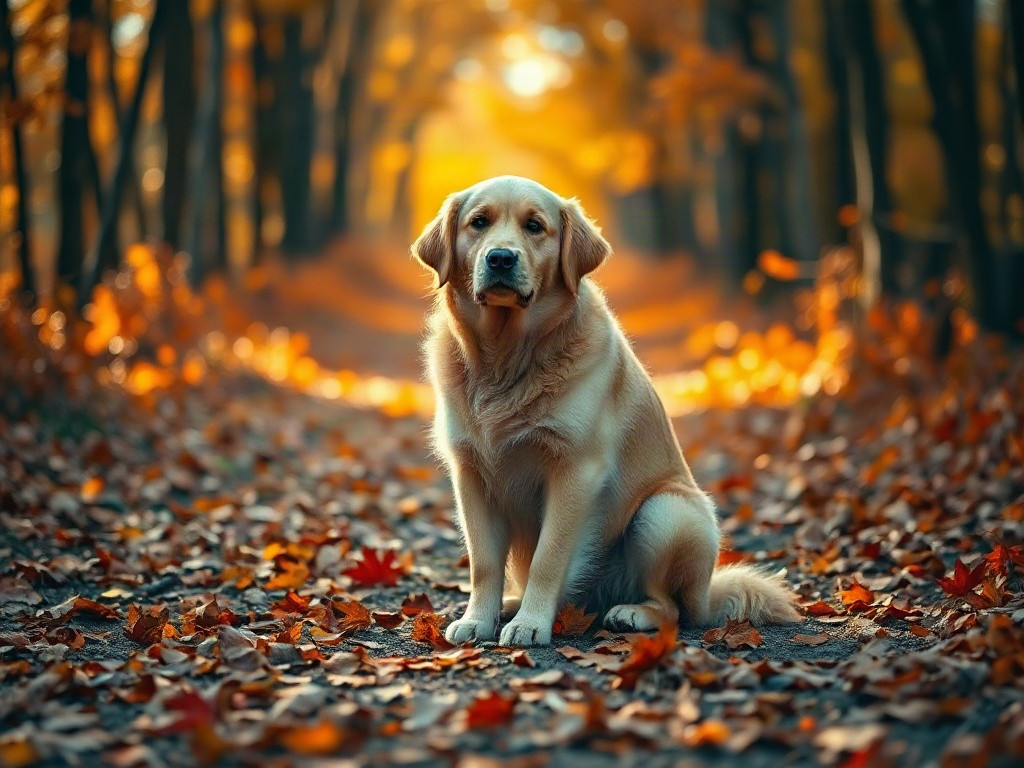
The problem isn't that this prompt contains too many words by itself. The problem is that several additions are vague or overlapping.
Photorealistic and ultra-realistic communicate similar intentions. Cinematic, dramatic, dreamy, and magical may suggest different visual directions depending on the model and context. Phrases such as stunning colors and incredible detail don't specify exactly what should change in the image.
Those words aren't always useless. Some models respond to style and quality descriptors in particular ways. But adding more of them doesn't guarantee a better result.
If you want richer fur detail, describe the fur. If you want a stronger separation between the dog and the background, describe the lighting or depth of field.
Specific instructions are easier to evaluate than a pile of general praise.
Is There an Ideal Prompt Length?
There isn't one word count that works for every image model, task, and workflow.
A short prompt can be enough when the subject and overall idea are simple. A detailed prompt is more appropriate when composition, lighting, materials, or other visual constraints matter.
As a practical starting point, you can think in three ranges:
| Prompt type | Approximate length | Best suited for |
|---|---|---|
| Short | 5–15 words | Simple subjects and quick exploration |
| Medium | 20–60 words | Most everyday image-generation tasks |
| Detailed | 60–120+ words | Complex scenes, product imagery, or tightly specified compositions |
These are working ranges, not technical limits or proven optimal word counts. You may need fewer words for a particular model, and some workflows benefit from much longer prompts.
Different image generators also interpret natural language differently. Some follow detailed spatial instructions well; others may respond more strongly to a simpler description. If you're using a model with its own prompt syntax, parameters, or token limits, follow its documentation.
Use the ranges to decide where to start, not to decide when a prompt is finished.
What Matters More Than Word Count?
When deciding whether to add another phrase, ask what it contributes.
1. Does It Clarify the Subject?
Compare:
A dog.with:
A fluffy golden retriever sitting on a forest path.The second version identifies the breed, appearance, action, and setting. Those details help narrow down the intended image.
2. Does It Control the Composition?
Compare:
A skincare serum bottle on a pedestal.with:
A skincare serum bottle on a stone pedestal, positioned on the right third of the frame, with empty space on the left.The second version gives the model a more specific layout to aim for.
This is especially important for images intended for websites, advertisements, thumbnails, and other designs where placement matters.
3. Does It Add a Meaningful Visual Detail?
Compare:
A portrait with good lighting.with:
A portrait lit by soft window light from the left, with gentle shadows across the face.The second instruction describes the direction and quality of the light instead of simply saying that the lighting should be good.
4. Does It Repeat Something Already Covered?
If your prompt already says soft window light, adding gentle natural illumination may contribute little unless you intend to change the lighting in a specific way.
Before adding another phrase, check whether it provides new information.
If it doesn't, you can probably leave it out.
A Simple Way to Find the Right Length
If you're unsure how much detail to include, build your prompt in stages.
Step 1: Describe the subject.
A golden retriever.Step 2: Add the setting or action.
A golden retriever sitting on a forest path covered with autumn leaves.Step 3: Add the most important visual choices.
A golden retriever sitting on a forest path covered with autumn leaves, warm sunlight filtering through the trees, photorealistic.Step 4: Add constraints only if you need them.
A golden retriever sitting on a forest path covered with autumn leaves, warm sunlight filtering through orange trees, low camera angle, soft background bokeh, detailed fur, photorealistic.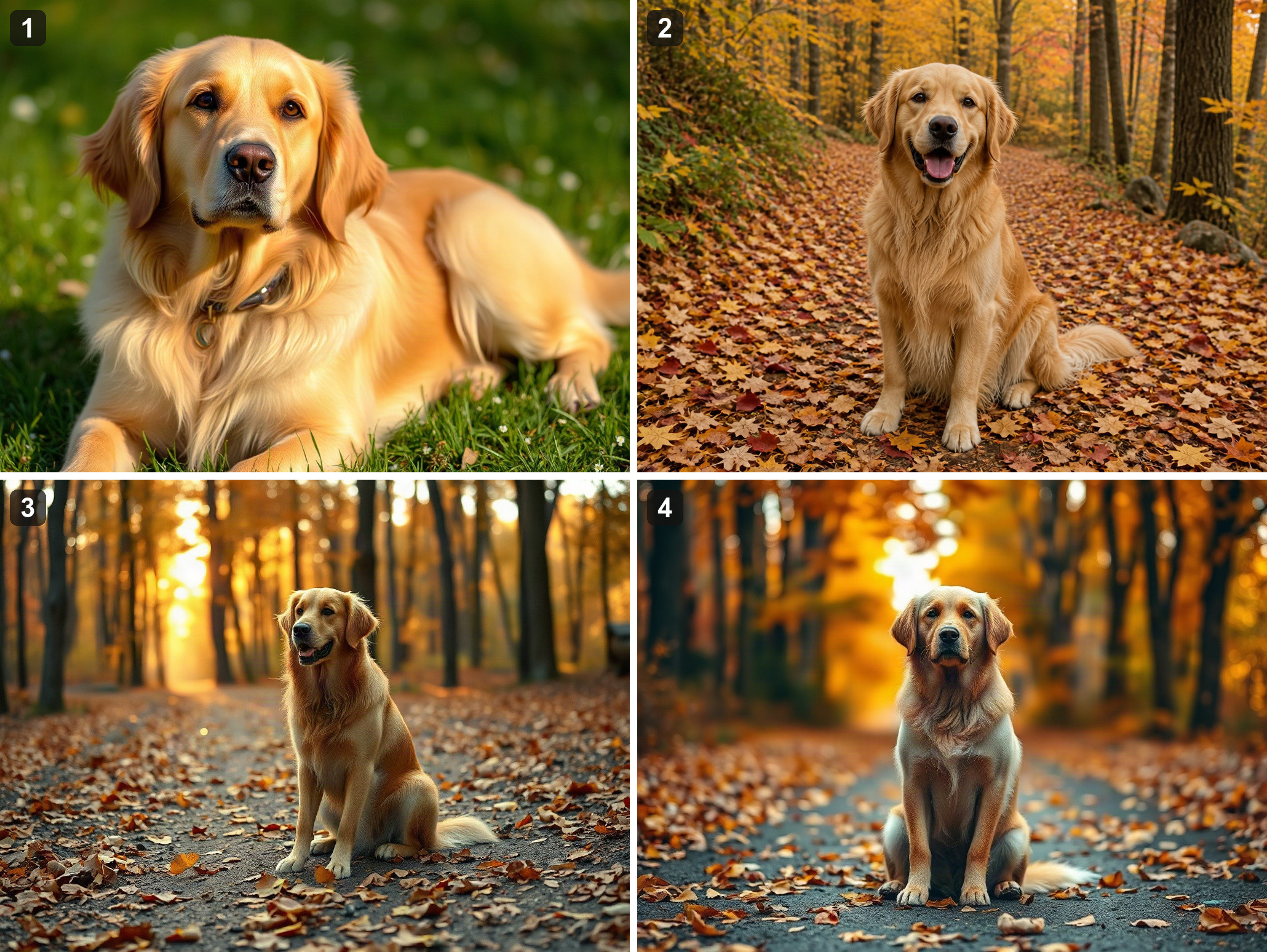
At each step, ask whether the new instruction improves the image in the way you intended.
If it does, keep it. If it makes no useful difference, try removing it. If it changes the wrong part of the image, rewrite the instruction more precisely.
For a fair comparison, keep the model, aspect ratio, and other generation settings the same. If your image generator supports fixed seeds, using the same seed can sometimes help isolate the effect of prompt changes, although results may still vary by model and workflow.
This approach is more informative than jumping straight from a five-word prompt to a long paragraph. You can see which additions actually contribute to the result.
Common Mistakes to Avoid
Adding Adjectives Instead of Instructions
Beautiful, stunning, amazing, cinematic may express a preference, but they don't necessarily tell the model how to arrange the scene.
Try describing the lighting, composition, materials, or color palette you want instead.
Describing Every Possible Detail
If you specify the subject's appearance, every background object, multiple lighting sources, several art styles, and a long list of camera settings, the prompt can become difficult to manage.
Start with the details that define the image. Add secondary details only when they matter.
Assuming Longer Prompts Give More Control
A long prompt can still be ambiguous. A short instruction such as subject positioned on the right third, empty space on the left may be more useful than a paragraph about creating a balanced and professional composition.
Control comes from clear constraints, not simply from length.
Changing Too Many Things at Once
If you add a new style, change the lighting, move the subject, and alter the background simultaneously, you won't know which change caused the difference.
When testing prompts, change one major variable at a time where practical.
A Prompt Template You Can Reuse
For most general-purpose image-generation tasks, start with this structure:
[Main subject and action], [setting], [composition], [lighting], [visual style], [important details].For example:
A fluffy golden retriever sitting on an autumn forest path, subject positioned slightly to the right, warm sunlight filtering through orange and crimson trees, soft background bokeh, detailed golden fur, photorealistic.You don't have to fill every slot. If composition isn't important, leave it out. If the image is meant to be a flat illustration, detailed photographic lighting may not be necessary.
For a simple image, you might only need the subject and setting. For a product advertisement, you may need to specify the composition, materials, reflections, and empty space for text.
Treat the template as a starting point rather than a checklist you must complete.
So, How Long Should Your Prompt Be?
Long enough to communicate the visual decisions that matter. Short enough that every phrase has a purpose.
Start with the subject. Add the setting, composition, and lighting if they affect the result. Then include style and specific details as needed.
If you're not sure whether a phrase helps, generate a version with it and one without it.
The comparison will tell you more than the word count ever could.